Generate and run a project
Kaiwu supports two starting paths: Path 1 lets product teams build an interactive mock frontend first and adopt it into the platform to generate the companion backend; Path 2 creates both repositories together through Project Factory after the platform is running.
Path 1: Product-first frontend, then adopt to generate the backend
From the kaiwu-web-starter root directory (requires Git, Node 22, and pnpm 10—no running platform needed), initialize a clean repo or append --example booking to try the two-user equipment booking demo:
node scripts/kaiwu-init.mjs --code equipment-booking --name "Equipment Booking"
cd ../equipment-booking-web
pnpm install --frozen-lockfile
pnpm dev
Open the printed URL at /__mock/ to switch personas and verify screens, rules, and scenarios. Once accepted on product and handed off via MR, an engineer signs in to the entry repository and runs project adopt:
./kaiwu login --client "project-development"
./kaiwu project adopt ../equipment-booking-web
./kaiwu project adopt ../equipment-booking-web --apply- Without
--apply, the command previews the project registration, manifests, and initial roles without writing anything. With--apply, it registers the project, imports manifests androles.yml, and generates the companion backend in../equipment-booking-service(shown in Project Factory asADOPT_FRONTEND). - Use
./kaiwu project sync ../equipment-booking-webfor subsequent manifest updates (preserving manual platform role edits unless--with-accessis passed). Projects using the optional Workflow service can also preview flow imports with./kaiwu workflow sync ../equipment-booking-web. Frontend adoption ADR
Path 2: Create and pull both repositories from the platform
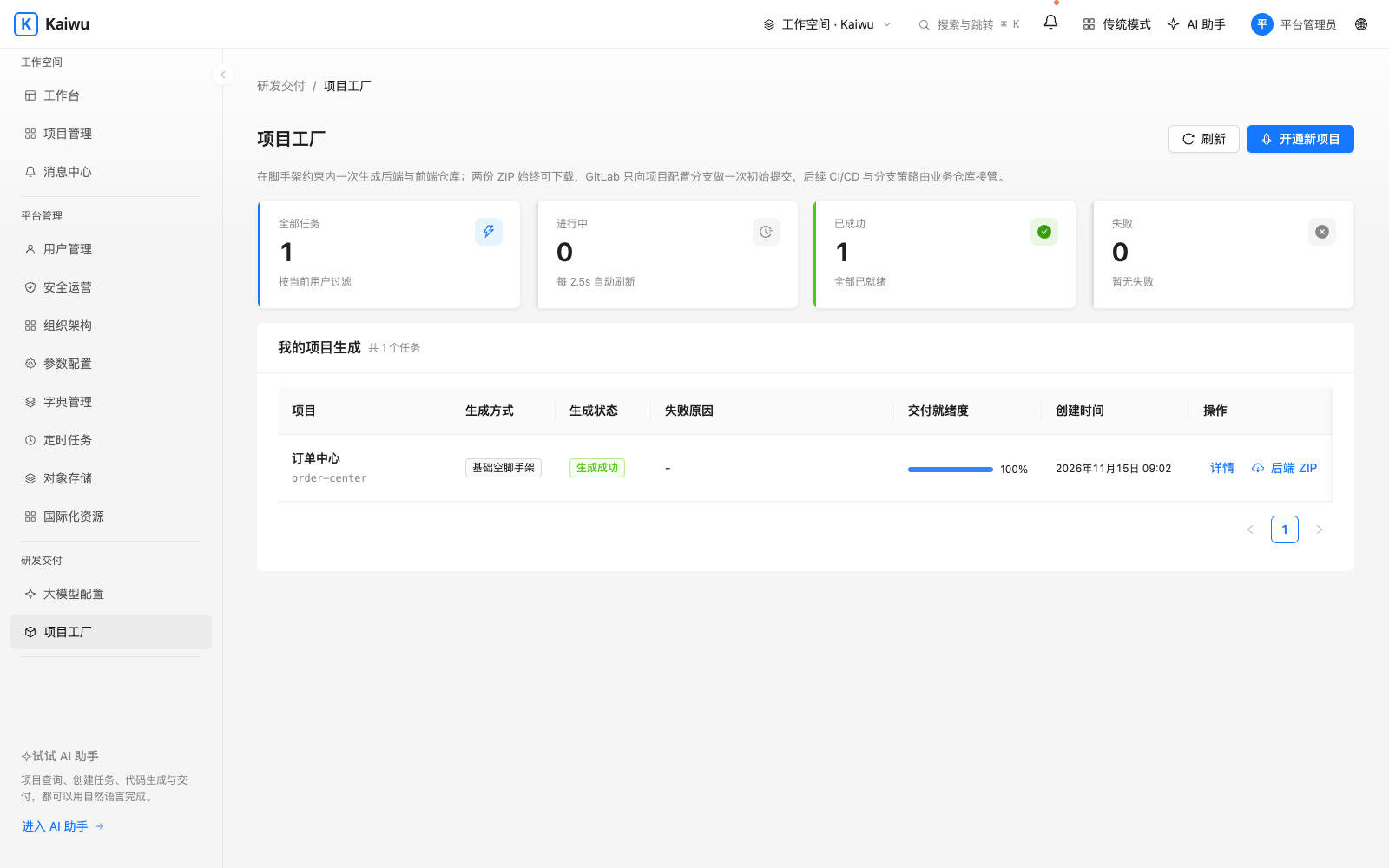
Sign in with an account that can create projects. In Project Management, choose Create project and enter its name and code, or run the CLI from the entry repository and approve the device request in your browser:
./kaiwu login --client "project-development"
./kaiwu whoami
./kaiwu project new order-center --name "Order Center" --package com.example.ordercenter
./kaiwu project status order-center --wait
./kaiwu project pull order-center
./kaiwu project-up ../business/order-center-service ../business/order-center-web
Local bootstrap accounts also support login --local. If the password has changed or local approval fails, follow the device link. If order-center already exists, start with the status command. Each code gets one successful generation, and its artifacts remain available for download.
Known issue in v0.2.0: generated applications can restart repeatedly if packaged resources are missing or the frontend cannot read its configuration. Even if the startup command succeeds, open the application from the workbench and verify a request. Check the business containers’ status and logs if it fails. Startup fix
Check the handoff
../business/order-center-service/pom.xmland../business/order-center-web/package.json(or the adopted../equipment-booking-serviceand../equipment-booking-web) belong to separate Git repositories.project-upbuilds both services and connects local routes. Open the app from the workbench at/apps/<code>/. Its API uses/<code>-api/.- If a member cannot open the app, check its entry URL, membership and role, then consult Gateway logs.
- Stop the business stack with
./kaiwu project-down <code>. Continue development in its two source repositories.
Develop a business feature · Project factory contract
Open the frontend during development
Both kaiwu-web-starter projects and Project Factory frontends provide two local dev modes:
- Local mock demo (
pnpm dev): Enables the built-in Umi mock runtime by default. Open/__mock/to switch personas, exercise in-memory CRUD flows, and reset demo state. Unregistered paths fail closed with 501, and mock files never enter production builds. - Real Gateway integration (
pnpm dev:real): Proxies/api,/{code}-api, and/{code}-svcto Gateway (http://127.0.0.1:8088by default, configurable viaKAIWU_GATEWAY). Pass a realprojectIdand enter from the same-origin workbench so the session bridge delivers a short-lived token (or bootstrap an in-memory token for standalone debugging). Each repository owns its own branches, reviews, and releases.